Bulk operations and CSV import
Credit or debit an audience you define, or import a spreadsheet of customers and amounts, with live progress and a full history.
The audience builder
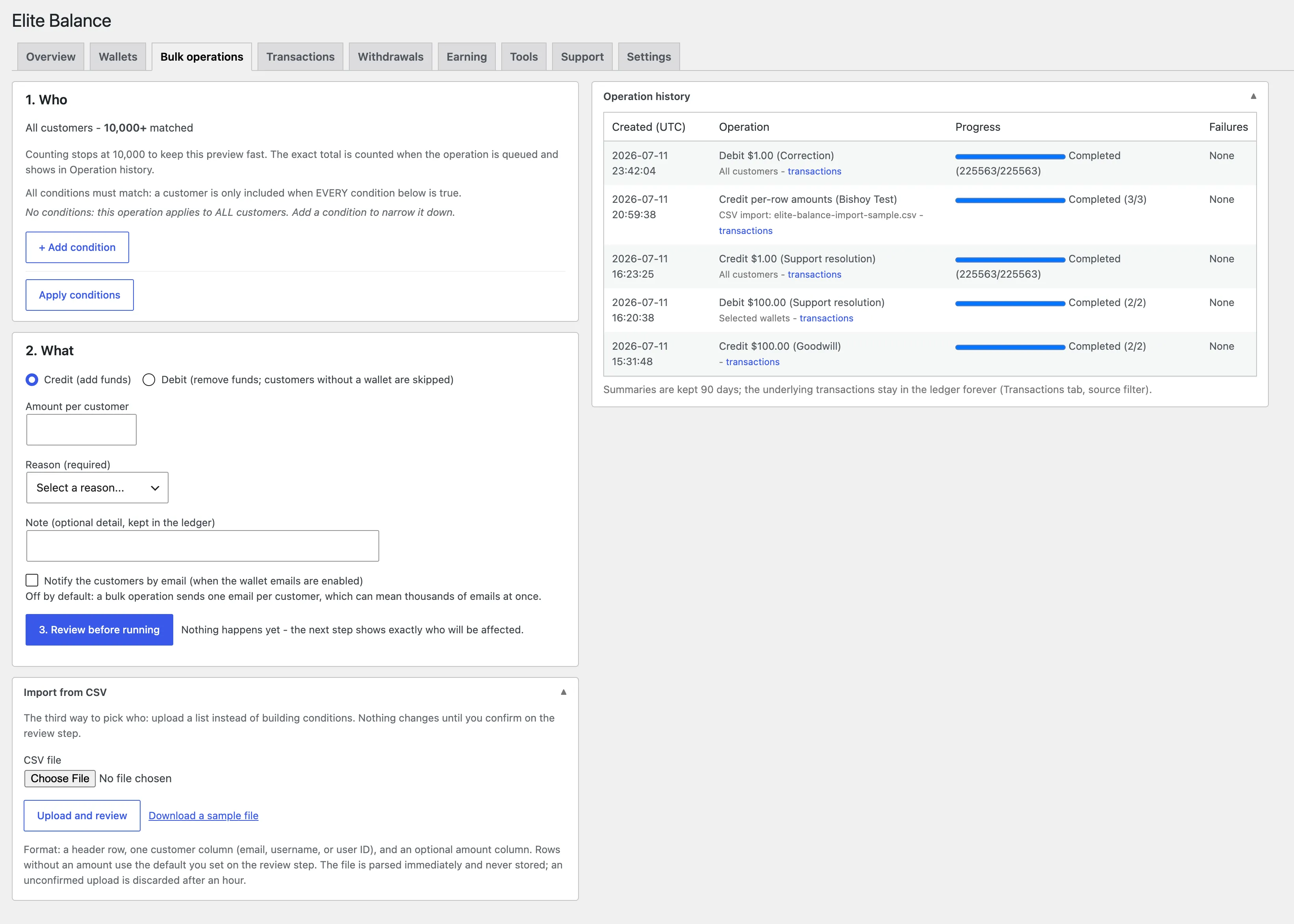
Bulk operations starts with who. By default the audience is every customer; add conditions to narrow it, and every condition must match (AND logic). Available conditions include registration age, inactivity, order history (has or has not ordered, in a period), wallet state, and role.
Press Apply conditions to refresh the live matched count and a sample of who matches. On large stores the live count stops at 10,000 for speed and shows as “10,000+”: the count display is capped, the operation is not. The exact total is computed when the operation runs and shows in the history.
Then what: credit or debit, the amount per customer, a required reason, an optional note, and whether to email customers (unchecked by default for bulk: a run can mean thousands of emails). A review step restates the audience in plain words before anything runs, and debits ask you to type the amount to confirm.
What a bulk run does
- Runs in the background in chunks; live progress shows under Operation history and on the Overview while running.
- Credits create wallets for customers who lack one. Debits skip customers without a wallet, and wallets that cannot cover the amount fail individually and are listed in the result, never partially charged.
- Every customer is touched at most once per operation, even if the run crashes and resumes or the form is submitted twice.
- The history keeps a summary of every operation (kept 90 days by default) with a drill-down to the exact ledger rows, which stay forever.
CSV import
Upload a spreadsheet of customers and amounts instead of building an audience. The file needs a header row with a customer column named customer, email, or user; values are matched automatically whether they are user IDs, email addresses, or usernames.
Amounts come from an amount column, from a single default amount you enter, or both (the column wins where present). Limits: 10,000 rows and 1 MB per file.
The import shows a full review before running: how many matched, and every problem row (unmatched customers, duplicates, bad amounts) listed with its line number. Nothing runs until you confirm, the uploaded file itself is parsed in memory and never stored, and the run behaves exactly like any bulk operation: chunked, resumable, at-most-once per customer.
A sample CSV is downloadable next to the upload field, and makes the expected format obvious.
Stuck, or found a gap in these docs? Tell us and the people who build the plugin answer.
Contact support →