01
How do licensing and updates work?
Elite Balance is sold on the WooCommerce Marketplace, so your purchase is a WooCommerce.com subscription: license validation and one-click updates run through your WooCommerce.com account. There is no license key to paste and the plugin never phones home.
02
Will it work with my theme and my checkout?
Yes. It supports the classic checkout and the Cart and Checkout Blocks, and every customer-facing template can be overridden from your theme. If your setup surfaces a gap, we treat it as our bug, not yours.
03
Can I migrate from my current wallet plugin?
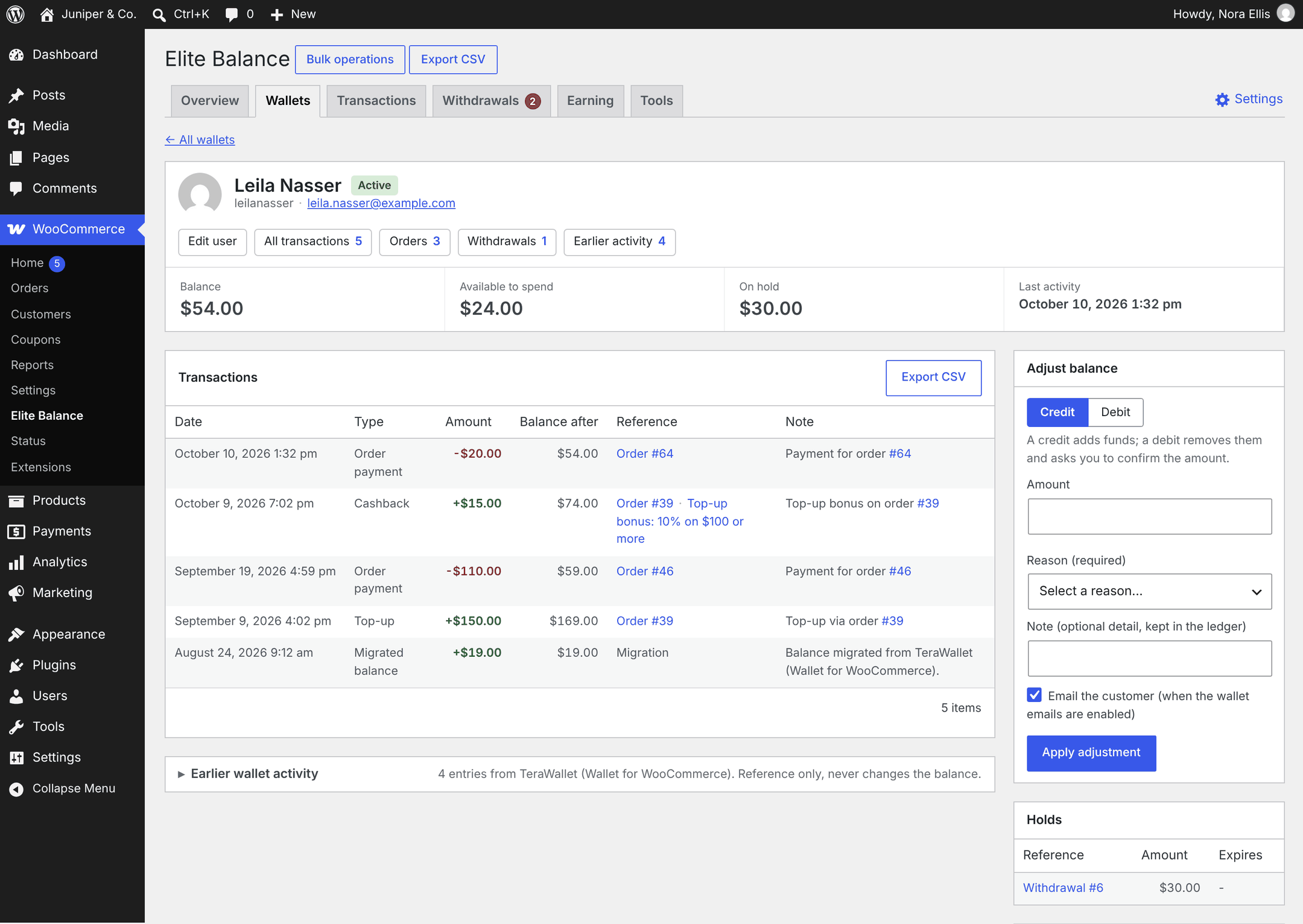
Very likely, from one screen. Migration from WP Swings Wallet System, TeraWallet (Wallet for WooCommerce), YITH WooCommerce Account Funds, and Account Funds for WooCommerce ships built in: you switch the old plugin off (its data is kept), every balance imports exactly once no matter how often you run it, and a reconciliation report shows the totals match to the cent. The old transaction history comes across too, read only, as Earlier activity for your customers and your team. Most other wallet plugins are covered by the custom meta key importer, and developers can plug any source into the same engine through a documented hook.
04
Why is it premium instead of free?
Because it moves real money, and software that moves money needs the same care as client work: real support, real updates, and no upsell banners inside your dashboard. A paid license is what keeps that promise fundable.
05
Where do I get support?
Through your WooCommerce.com account: open a support request from My Account on WooCommerce.com and it reaches us, the people who wrote the plugin. The Tools tab in Elite Balance has a Support section with your site details ready to copy into the request. The documentation, also on WooCommerce.com, covers every screen and setting.
06
What happens to wallet data if I uninstall?
Nothing, by default. Balances and the full ledger stay in your database, so reinstalling picks up exactly where you left off. If you really want everything gone, turn on Delete data on uninstall under the Advanced settings first.
 Elite Balance